









This is a cache of https://www.owenscorning.com/en-us/roofing/blog/how-to-register-roof-warranty. It is a snapshot of the page as it appeared on 2026-10-22T05:42:02.100+0000.
Registering an Owens Corning Roof Warranty | Owens Corning Roofing | Owens Corning Roofing Skip to Main Content
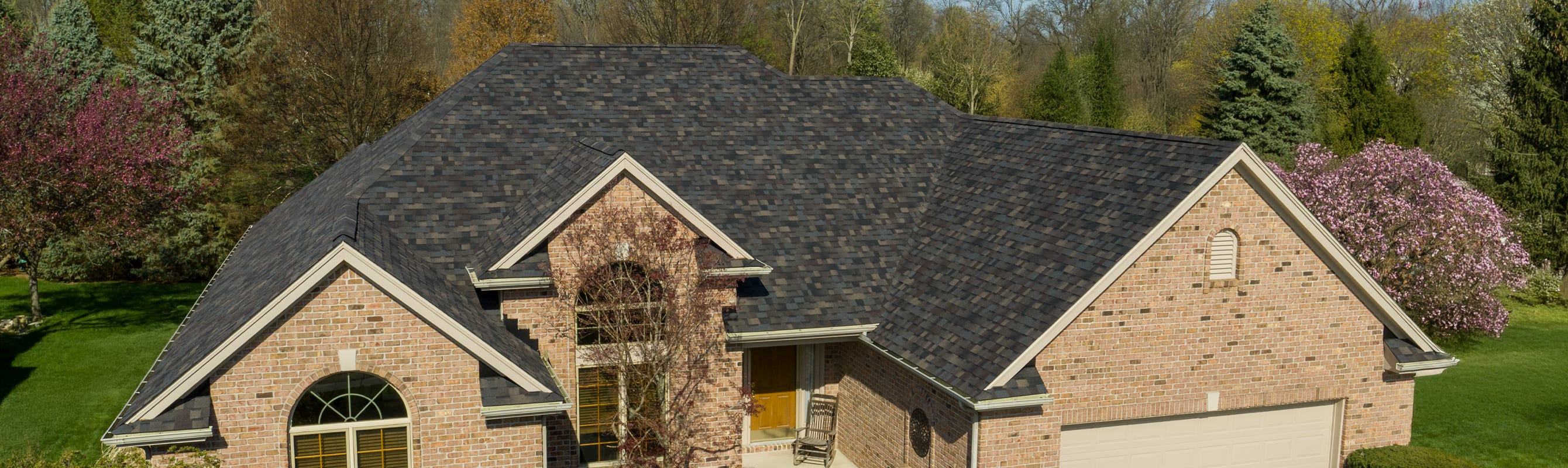
Tan brick home with Owens Corning Duration Designer shingles in Black Sable.

How Do I Register My Owens Corning Roof Warranty?

Written By Owens Corning Roofing•Date Published 2026-05-08

Registering your roof for a warranty is an important step after installation. While the process may seem daunting at first, Owens Corning provides an online registration system that walks you through each step. Below, we’ll explain why warranty registration matters and show you how to register your standard Owens Corning roof shingles warranty step by step.

Why Do I Need to Register for a Roof Warranty?

Registering a roof warranty helps document key details about your roofing system, including the installation date, products used, and property information. While some roof warranties include limited coverage automatically, registration may be required to access additional warranty benefits and to streamline the process if a warranty claim is needed in the future. Having this information on file can also help clarify warranty coverage over time, including in the event of a home sale. For more comprehensive information about roof warranties in general, peruse our thorough “Roofing Warranties 101 Guide”.

How to Register for a Standard Roof Warranty from Owens Corning

1. Visit the Owens Corning Standard Warranty Navigation page.

Under the Warranty & Care tab at the top of the page, find Warranty Management and the Standard Warranty Registraion in the navigation. 

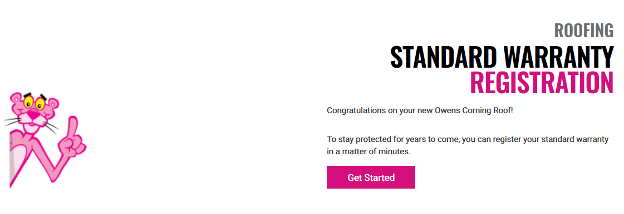
Owens Corning Roofing Standard Warranty Registation portal.

2. Click on the pink “Get Started” button.

Enter your email address in the box that appears.

"Email address" prompt in the Owens Corning Roofing Standard Warranty Registation portal.

3. Confirm your email address.

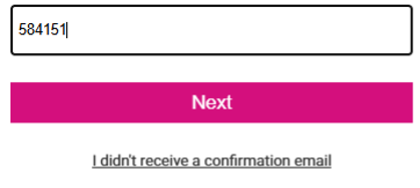
Owens Corning will send a verification code to your email. Enter that code to continue.

"Validation code" prompt in the Owens Corning Roofing Standard Warranty Registation portal.

4. Identify your role.

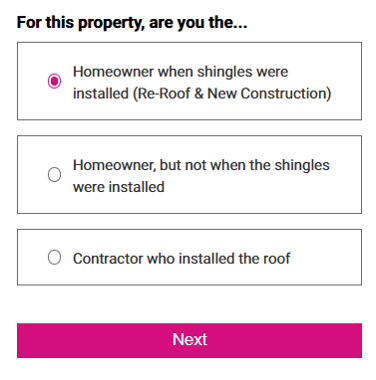
Once you’ve confirmed your email address, you’ll be asked to verify whether you are:

  • The homeowner at the time of the shingle installation
  • The homeowner, but NOT at the time of the shingle installation
  • A contractor
"User role" prompt in the Owens Corning Roofing Standard Warranty Registation portal.

Registering Your Owens Corning Roof Warranty For Homeowners

If you were the homeowner when the shingles were installed (for both re-roof and new construction), you will be guided through the following steps:


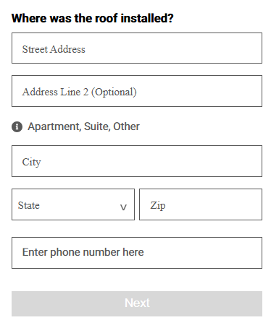
1. Enter the installation address.

You will be asked to provide the address where the roof shingles were installed.

"Roof installation address" prompt in the Owens Corning Roofing Standard Warranty Registation portal.

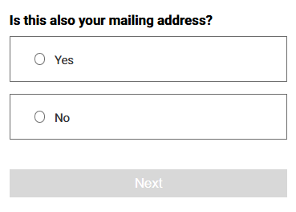
2. Confirm your mailing address.

If your mailing address is the same as the installation address, confirm that detail.

If not, you’ll be prompted to enter a different mailing address.

"Mailing address" prompt in the Owens Corning Roofing Standard Warranty Registation portal.

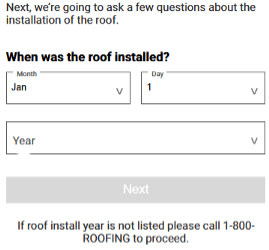
3. Enter the roof installation date.

The date of the shingle installation is essential, as warranty coverage is tied to the installation timeline.

"Installation date" prompt in the Owens Corning Roofing Standard Warranty Registation portal.

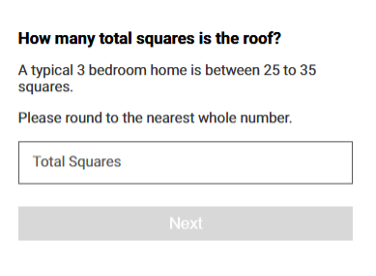
4. Estimate the total square footage of the roof.

This estimate refers to the surface area of the roof itself, not the interior square footage of the home. You’ll enter this amount in roofing “squares,” with one square equal to 100 square feet. This number is typically listed on your official roofing estimate or quote. If you’re unsure, a typical three-bedroom home often has a roof between 25 and 35 squares, rounded to the nearest whole number.

"Roofing squares" prompt in the Owens Corning Roofing Standard Warranty Registation portal.

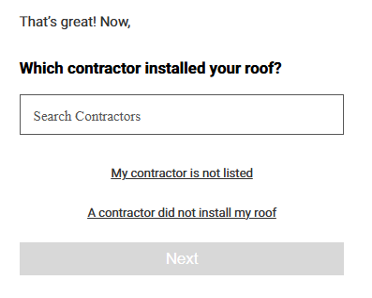
5. Identify the contractor that installed your roof.

Select the contractor who installed the roof by searching the list of Owens Corning Roofing Contractor Network members. If the contractor is not listed, choose the option indicating the contractor is not listed. If a contractor did not install the roof, there is also an option to indicate that during this step.

"Contractor selector" prompt in the Owens Corning Roofing Standard Warranty Registation portal.

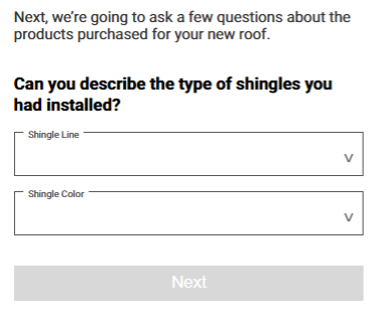
6. Identify the type and color of shingles installed on your roof.

Next, you’ll be prompted to note the shingle line, such as Oakridge® or Duration® Series Shingles, and select from the drop-down list. Utilize the second drop-down to select the shingle color for your roof.

"Shingles selector" prompt in the Owens Corning Roofing Standard Warranty Registation portal.

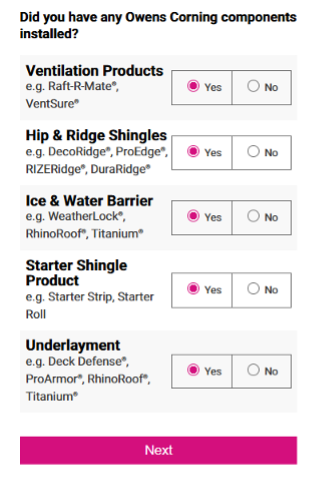
7. Specify if you have any additional Owens Corning roofing system components installed.

These roofing components include ventilation products, hip and ridge shingles, ice and water barriers, starter shingles, and synthetic underlayments.

"Components selector" prompt in the Owens Corning Roofing Standard Warranty Registation portal.

8. Select your preferred contact method.

Choose your preference, between email or phone, on how Owens Corning should contact you regarding your warranty.

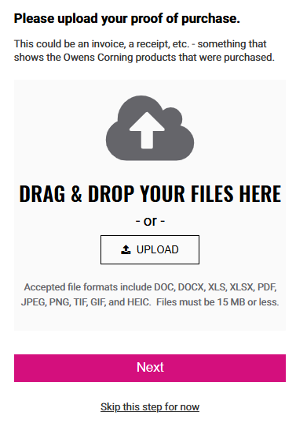
9. Upload proof of purchase.

"Proof of Purchase" prompt in the Owens Corning Roofing Standard Warranty Registation portal.

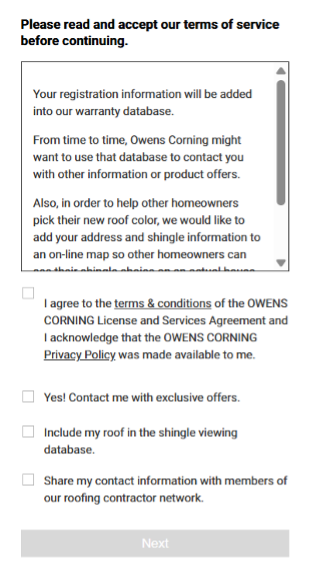
10. Read and Accept the Owens Corning Roofing Terms of Service.

"Terms of Service" prompt in the Owens Corning Roofing Standard Warranty Registation portal.

11. Review and verify your information.

Check that all details are accurate, then click the pink “Looks Good” button to submit your registration.

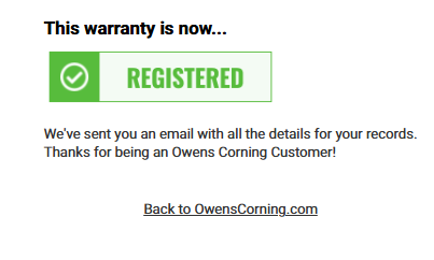
12. Receive confirmation of registration.

Once submitted, you’ll receive confirmation that your Owens Corning roof warranty has been registered.

"Registration Confirmation" prompt in the Owens Corning Roofing Standard Warranty Registation portal.

Important: Registering your warranty is not the same as filing a warranty claim. Claims are only evaluated if an issue arises later, and they require separate documentation at that time.

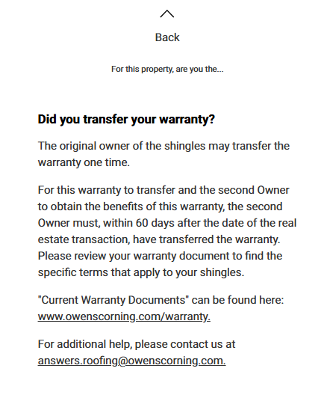
For Homeowners Who Need a Roofing Warranty Transferred: 

If you are the current homeowner, but were not when the shingles were installed, you may be looking to transfer the warranty. You can find that information here: How to Transfer a Roof Warranty.

"Warranty Transfer" prompt in the Owens Corning Roofing Standard Warranty Registation portal.

Architectural Roof Shingle Warranties for Contractors

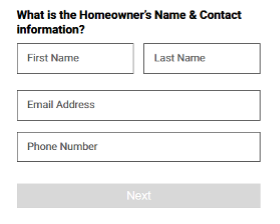
Roofing contractors will need to enter the homeowner's name and contact information. If the homeowner has already registered their property, there is a process through OCConnect.

"Contractor Warranty view" prompt in the Owens Corning Roofing Standard Warranty Registation portal.


FAQs About Owens Corning Roof Warranties

What is a roof shingles warranty registration?

A roof shingles warranty registration is the process of submitting information about a roofing system after installation. This information typically includes details such as the property address, installation date, and roofing products used. Registration helps document the roof under the manufacturer’s warranty and may be required to access certain warranty benefits.

When do I need to register my roof warranty?

The Owens Corning Standard shingle warranty does not have a deadline for registrationand can typically be completed at any time using the online form. Owens Corning extended warranties must be registered within 60 days of installation and is handled by your roofing contractor on your behalf.

What documents are required to register my warranty?

During the roof shingles warranty registration, you’ll be asked for the address where the roof was installed and the roofing products used. You may also be prompted to upload proof of purchase, such as an invoice or receipt, along with details like the roof installation date. Documentation requirements can vary depending on the type of warranty and how it’s being registered.

How do I register for an extended warranty?

For Owens Corning extended roof warranties, registration must be completed by a participating contractor in the Owens Corning Roofing Contractor Network through OCConnect. If a homeowner registers their property online before the contractor submits the extended warranty, Owens Corning has a process in place to coordinate and complete the extended warranty registration with the contractor.

Share this page on:

Related Articles

Roofing Warranties
What to Ask About a Roofing Warranty When Buying a House

Learn the right roofing questions to ask about roof home warranty coverage, from age limits to whether roofing warranties transfer to new owners.
Read more
Homebuyers standing in front of brick home reviewing documents with real estate agent,

roof-replacement-repair
How to Transfer a Roof Warranty

Take note of what you need to do to successfully transfer a roof warranty.
Read more
Image of two people looking at an agreement

Roof Color
Roof Color and Resale

Designer Chad Esslinger shares how a well-designed exterior color palette, including your roof, can help to make the best impression on potential buyers.
Read more
Photo of a red "For Sale" sign in the foreground, with a two story home in the background